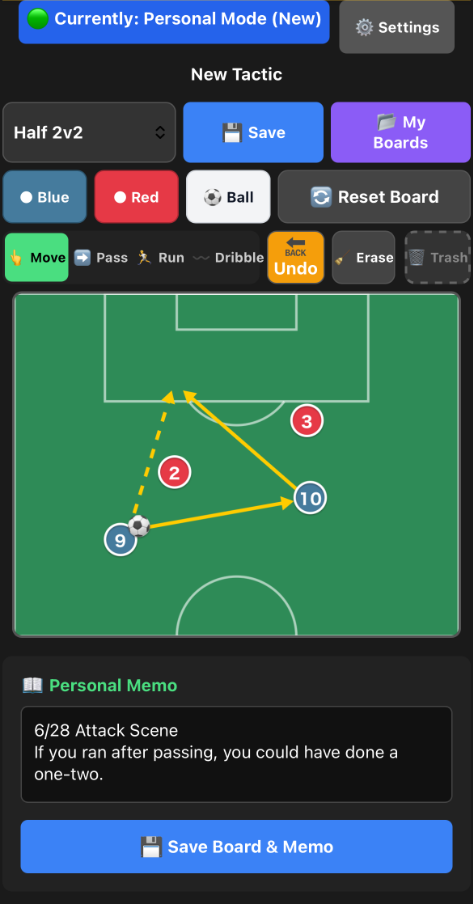
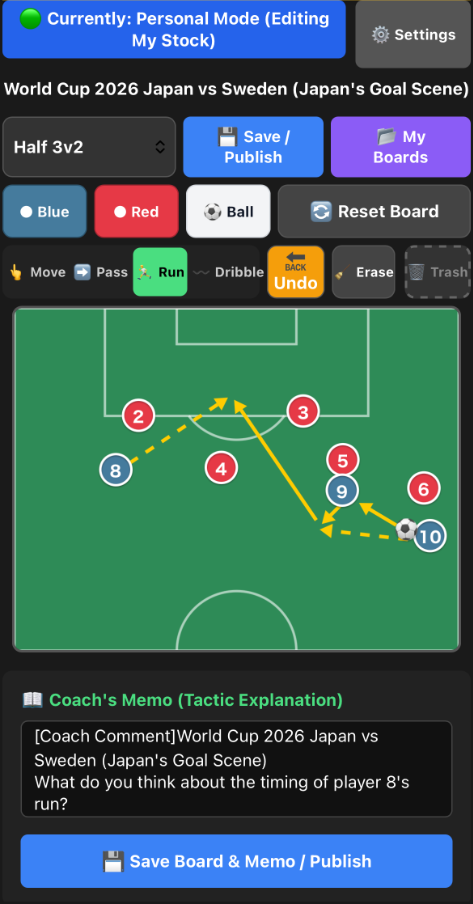
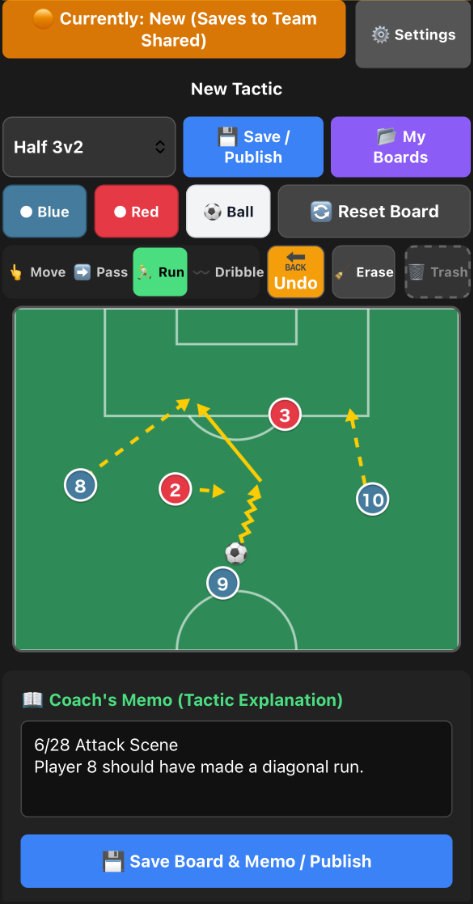
Heβs great at dribbling and juggling, but during games, the ball never comes to him. That's simply because your child doesn't know the "correct movement". Let's end the silent frustration of "But there's so much space over there...". By just drawing a few arrows on your smartphone, your "ideal movement" will be intuitively communicated to your child.
*No tedious email registration required. Your private room opens instantly.
In "The Dawn of Tactics" advocated by European standards (UEFA), the junior era (U-12) is considered the golden age for developing tactical circuits.
If you don't build a "tactical board in the brain" during this period, they will crash into 4 cruel walls the moment they reach junior high (11-a-side).
As puberty hits and surrounding players suddenly grow larger, the deception of dominating solely with "speed" or "strength" will be the first to stop working.
With their physical advantage gone, the pitch size doubles. It becomes physically impossible to reach the goal with individual dribbling alone.
To cover the massive space, "team coordination (zonal play)" becomes mandatory, and players who don't know how to move are benched.
While their usual weapons no longer work, they can't process the sheer volume and speed of information, resulting in a complete freeze.
As a result, no matter how good their footwork is, unless they are an absolute genius,
they won't be able to do anything in the game and will be left with regrets.
Even if you gently say "look around more" or "use the space", it doesn't translate for kids with developing spatial awareness. By showing them visually with "arrows (movement paths)", they begin to accurately understand your intentions.
Magnetic boards are erased by the next game. By stocking strategy boards drawn on your phone, you can review movements in the car right before a game, preventing repeated mistakes.
On the ride home, do you feel frustrated because you want to help but can't convey it well? By introducing an objective tool like a "digital strategy board", it turns into a constructive, positive meeting.
Right after spotting a key play or off-the-ball movement, open the app, quickly move player icons to recreate the "actual situation", and save it. On the ride home, you can visually review "that moment" while memories are fresh.
When reviewing game footage at home, pause at key scenes and quickly draw the "correct positioning" with arrows on the app. Comparing "the video (reality)" with "the app (ideal movement)" dramatically improves tactical understanding.
Magnetic boards and verbal instructions vanish instantly, but strategy boards saved in the app are permanently stored in the cloud as your child's dedicated tactical notebook. Whether right before the next game or months later during a slump, you can instantly review past success and failure patterns anytime.
No app installation or initial registration required. Just select "πββοΈ Use Personally" from "Try for Free" to start drawing strategy boards right in your browser.
After drawing a strategy, select "π Protect Data" from the menu. Register an email and password to permanently save your precious tactical data to the cloud.
Using your registered email and password, you can log in with the same account from your child's tablet or another smartphone. Look at the same screen together and start logical conversations.
Our service is a "Web App (PWA)", so you don't need to download it from a store. Just access it from Safari or Chrome and use it instantly.
One representative (manager or main coach) should purchase it. Using the shared "Team ID and Password", any number of other coaches or players can view and participate for "Free" and unlimited.
If you use it as a guest and clear your browser cache, your data will be lost. You can permanently protect your data by registering an email address (Account Protection) from "Settings" in the app.
Yes, you can use it not only on smartphones but also from PC or tablet browsers. It's also ideal for tactical research on large screens.
Due to system specifications, we do not support automatic refunds or difference adjustments after purchase.
- If you bought "Team" but meant to use it individually:
Please "Unsubscribe (Delete Account)" from the app settings, and register again as a "Team Representative" with the same email address. Enter the license key with that account.
- If you bought "Personal" but want to use it for a team:
Personal licenses cannot be shared with members. Please cancel your current personal license and purchase a new "Team License". (* We cannot refund fees that have already been incurred)